Digital banking for seniors has become a necessity rather than an optional convenience. Many older adults now rely on online tools to manage everyday financial tasks, and this shift continues to grow. Because of that, banks have started offering simplified interfaces, enhanced security layers and better customer support. Although digital banking may seem intimidating at first, the right account can make the entire experience smooth and stress-free.
Today’s seniors value clarity, security and usability. Therefore, major U.S. banks have redesigned apps and websites to reduce complexity and assist aging users. As a result, digital banking now offers more accessibility features, larger text displays and intuitive steps that minimize confusion.
However, choosing the right bank requires understanding key features. Seniors must compare navigation quality, fraud protection, customer service and mobile support. Moreover, they should consider institutions that provide free accounts, reliable FDIC insurance and responsive help.
Because this choice affects daily convenience, it is important to stay informed. The following guide breaks down the best options and explains how seniors can safely benefit from modern banking. Keep reading to understand each feature and discover which bank fits your specific needs.
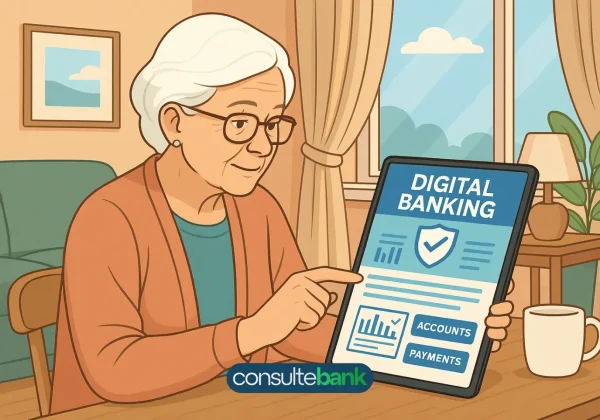
Understanding Digital Banking for Seniors
Digital banking for seniors involves more than offering a mobile app. Instead, it requires meeting usability standards that reduce cognitive load. Seniors generally prefer accounts with clear menus, minimal steps and easy access to human support. Furthermore, banks must provide smooth navigation without overwhelming new users.
Common Challenges Seniors Face Online
Although many seniors feel comfortable with technology, several common pain points still appear:
- Difficulty reading small text
- Confusing multi-step logins
- Fear of scams
- Low confidence in digital interfaces
- Limited experience with mobile banking apps
Because these challenges are real, choosing the right bank becomes essential.
What Makes a Bank Senior-Friendly
A senior-friendly bank typically includes:
- Large, adjustable font sizes
- Streamlined menus
- Voice assistance compatibility
- Simple password reset options
- Human customer support available 24/7
- Strong fraud monitoring
These features improve comfort and significantly reduce mistakes.
Best Easy-Navigation Accounts for Seniors
Although many banks offer online tools, only a few stand out for true ease of use. The following institutions are recognized in the U.S. for accessible banking experiences, reliable apps and strong customer protection.
Chase Total Checking®
Chase consistently ranks as one of the easiest mobile platforms for older adults. Its app includes large buttons, clear account overviews and straightforward bill payment options. Additionally, in-branch support remains widely available nationwide.
Key advantages:
- Highly intuitive app
- Real-time alerts
- Strong fraud monitoring
- Thousands of physical branches
Although there is a monthly fee, it can be waived with direct deposit.
Bank of America Advantage SafeBalance®
Bank of America stands out because the app offers customizable settings. Seniors can increase text size and simplify dashboards. Moreover, SafeBalance removes overdraft fees entirely, which reduces stress for those on fixed incomes.
Benefits include:
- No overdraft fees
- Excellent customer support
- Easy-to-navigate mobile layout
- Enhanced security notifications
It is a strong option for seniors who want predictable banking with fewer risks.
Capital One 360 Checking
Capital One’s app is favored for its clean design and minimal clutter. Furthermore, the bank provides robust digital education resources. Because of its simplicity, many first-time online banking users adapt quickly.
Advantages:
- No monthly fees
- Large, readable design
- Highly rated mobile app
- Automatic transaction alerts
Its simplicity and transparency make it ideal for beginners.
Wells Fargo Clear Access Banking
Wells Fargo modernized its digital tools with seniors in mind. The Clear Access account focuses on direct navigation and clear labeling. Additionally, Wells Fargo offers extensive branch coverage, helping seniors who prefer occasional in-person interactions.
Highlights:
- Clear dashboard
- Strong customer support
- No overdraft fees
- Helpful financial education resources
This is a solid combination of digital ease and physical branches.
Key Features Seniors Should Prioritize
Choosing an account involves more than convenience. Seniors should also evaluate security, learning support and accessibility. Because different banks excel in different areas, comparing these features is necessary.
Navigation and Interface Simplicity
The app should allow seniors to:
- Check balances immediately
- Transfer money in a few steps
- Pay bills with visible instructions
- Access help without complex menus
Additionally, larger icons reduce accidental taps.
Security and Fraud Protection
Seniors remain targets for online scams. Therefore, banks should include:
- Automatic fraud alerts
- Two-factor authentication
- Easy card lock/unlock
- Dedicated fraud assistance specialists
These safeguards prevent unauthorized transactions.
Customer Support Options
Support should include:
- Live phone assistance
- In-person branch access
- Chat support with clear language
- Step-by-step guidance
Because seniors prefer human contact, responsive service matters.
How Seniors Can Use Digital Banking Safely
Digital banking can be extremely safe when seniors follow simple best practices. Because scams evolve quickly, adopting good habits makes a significant difference.
Enable All Security Features
This includes:
- Two-step verification
- Biometrics such as fingerprint or facial recognition
- Real-time balance alerts
These features catch problems early.
Avoid Unsecured Wi-Fi Networks
Public networks increase exposure to cyber threats. Seniors should always access financial accounts from secure home networks.
Keep Devices Updated
Updates often include security patches. Because outdated devices are more vulnerable, installing updates promptly is critical.
Learn How to Identify Scams
Seniors should never:
- Click unknown links
- Share codes sent via text
- Approve unexpected login requests
Banks will never ask for passwords or verification codes by phone or email.
Comparing Senior-Friendly Bank Accounts
To help seniors make informed decisions, the table below highlights essential features. Because individual needs vary, comparing details ensures the right match.
| Bank | Fees | Main Benefits |
|---|---|---|
| Chase Total Checking® | Waivable monthly fee | Easy app, strong alerts, large branch network |
| Bank of America SafeBalance® | Low monthly fee | Customizable interface, no overdraft fees |
| Capital One 360 Checking | No monthly fees | Simple layout, strong mobile features |
| Wells Fargo Clear Access | Low monthly fee | Clear dashboard, excellent support |
Legenda: Comparação entre contas correntes populares nos EUA, incluindo taxas e benefícios oferecidos.
How to Choose the Right Digital Account
Selecting the perfect account depends on personal preferences and daily habits. Seniors should consider:
How Often They Need Branch Access
Those who still prefer physical assistance may choose banks like Chase or Wells Fargo.
Comfort Level With Technology
Seniors who are new to smartphones may prioritize the simplest possible interface, such as Capital One or Bank of America.
Budget and Fee Structure
Low or no-fee accounts reduce financial pressure for seniors on fixed incomes.
Quality of Fraud Protection
Because financial scams target seniors, institutions with stronger monitoring systems offer more peace of mind.
Final Tips for Seniors Transitioning to Online Banking
To make the process easier, seniors should:
- Start by using only basic features
- Practice with small transactions
- Ask family or bank staff for guidance
- Use written steps and bookmark important pages
- Turn on every available security alert
Because comfort increases over time, consistent use builds confidence.
Final Thoughts: Digital banking for seniors
Digital banking offers seniors unprecedented convenience, safety and independence. Although learning new tools can seem difficult at first, the right bank account transforms the experience into a smooth daily routine. By choosing user-friendly interfaces, strong security protections and reliable customer support, older adults can manage finances with confidence.
Ultimately, understanding each feature ensures seniors select an account that meets their lifestyle and comfort level.
Sources
- https://www.consumerfinance.gov
- https://www.fdic.gov
- https://www.aba.com
- https://www.chase.com
- https://www.capitalone.com
- https://www.bankofamerica.com
- https://www.wellsfargo.com
📌 Leia também:
Best Credit Cards Best Digital Banks in the USA No annual fee cards USA👉 Continue lendo o Consulte Bank